For eBay, Etsy, Vinted & Depop sellers
Stop wasting a whole A4 sheet on every shipping label.
trims carrier label PDFs down to just the label, then prints four to a page on your normal printer, or one per page on a label printer. No more scissors, no more wasted ink.
Runs entirely on your computer. Nothing is ever uploaded.
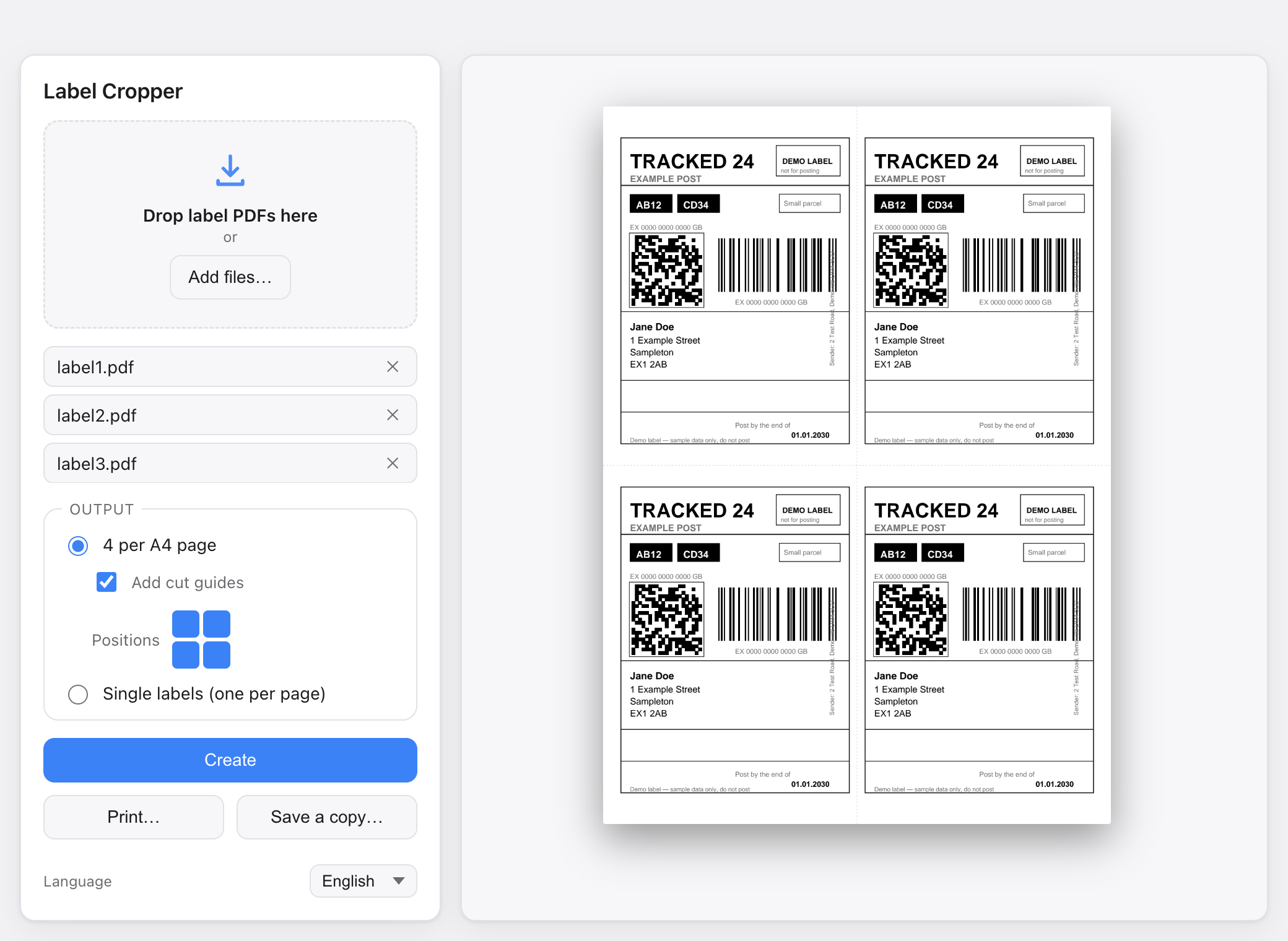
Works with labels from
- Royal Mail
- Evri
- DPD
- InPost
- Yodel
- UPS
- DHL
- & more
How it works
Three steps, then hit print.
No settings to wrestle with. Drop your PDFs in and you're done.
Drop your label PDFs
Drag in the files you downloaded from your carrier, one at a time or a whole batch. reads each page and finds the label.
Pick a layout
Choose four-up on plain A4 with optional cut guides, or single labels for a label printer. Nudge each label exactly where you want it.
Export a clean PDF and send it to any printer. Barcodes stay razor-sharp because the output is vector, never a blurry screenshot.
Features
Everything you need to print postage, minus the faff.
Automatic trim & detect
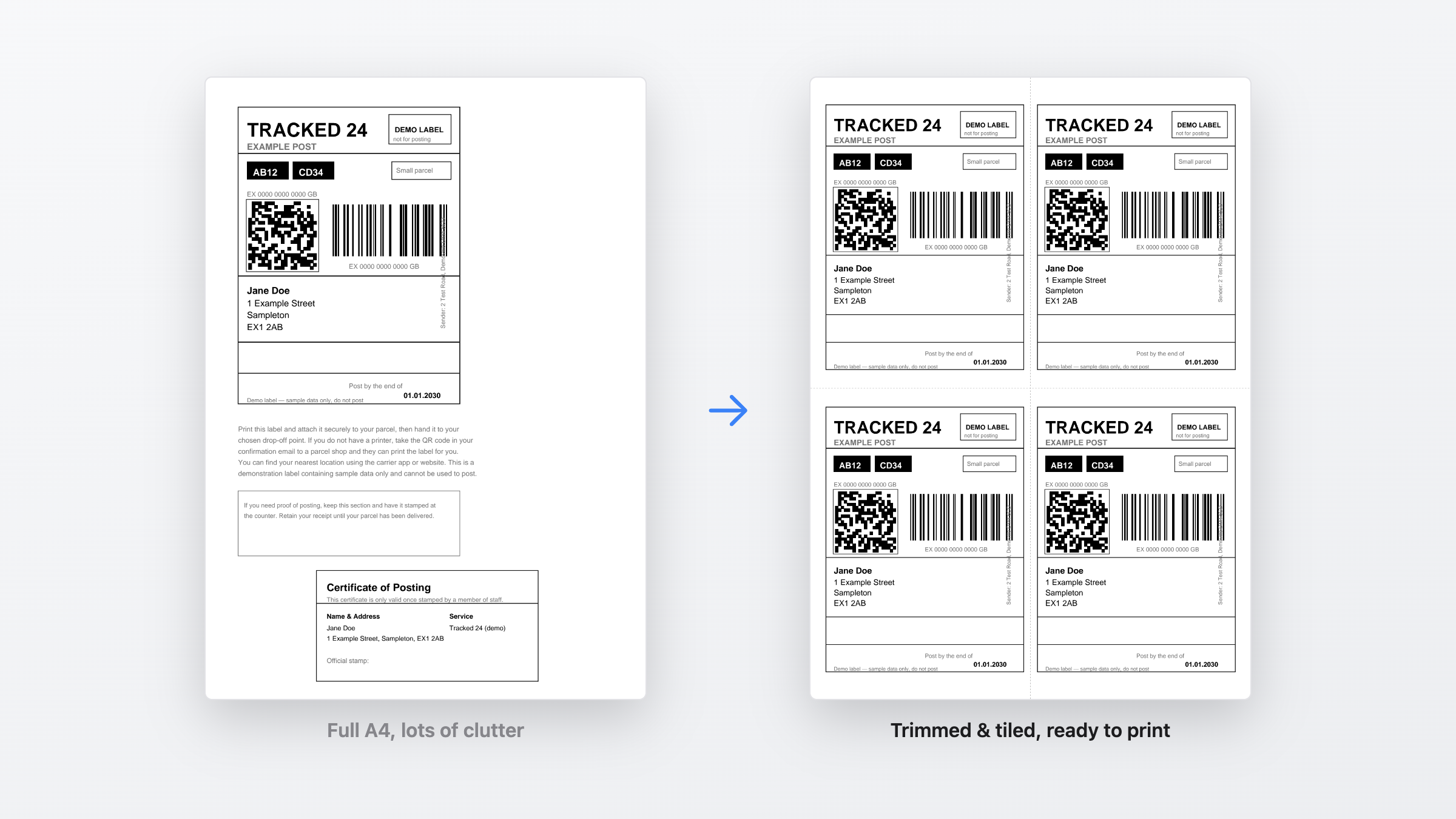
Finds the label on each cluttered A4 page and crops away the instructions, ads and empty space, no manual cropping.
4-up or single labels
Tile four labels per A4 sheet for a normal printer, or output one label per page for a thermal label printer.
Choose the label position
Place a single label anywhere on the sheet, bottom-left, centred, wherever, so you can reuse part-printed paper.
Crisp, scannable barcodes
Output stays fully vector, so barcodes and QR codes print sharp and scan first time, never rasterised or fuzzy.
100% offline & private
Every label is processed on your machine. Nothing is uploaded, so customer names and addresses never leave your laptop.
Works with any carrier
Royal Mail, Evri, DPD, InPost and more. If it's a label PDF, can trim and lay it out.
Two ways to print
Plain paper or label printer, your call.
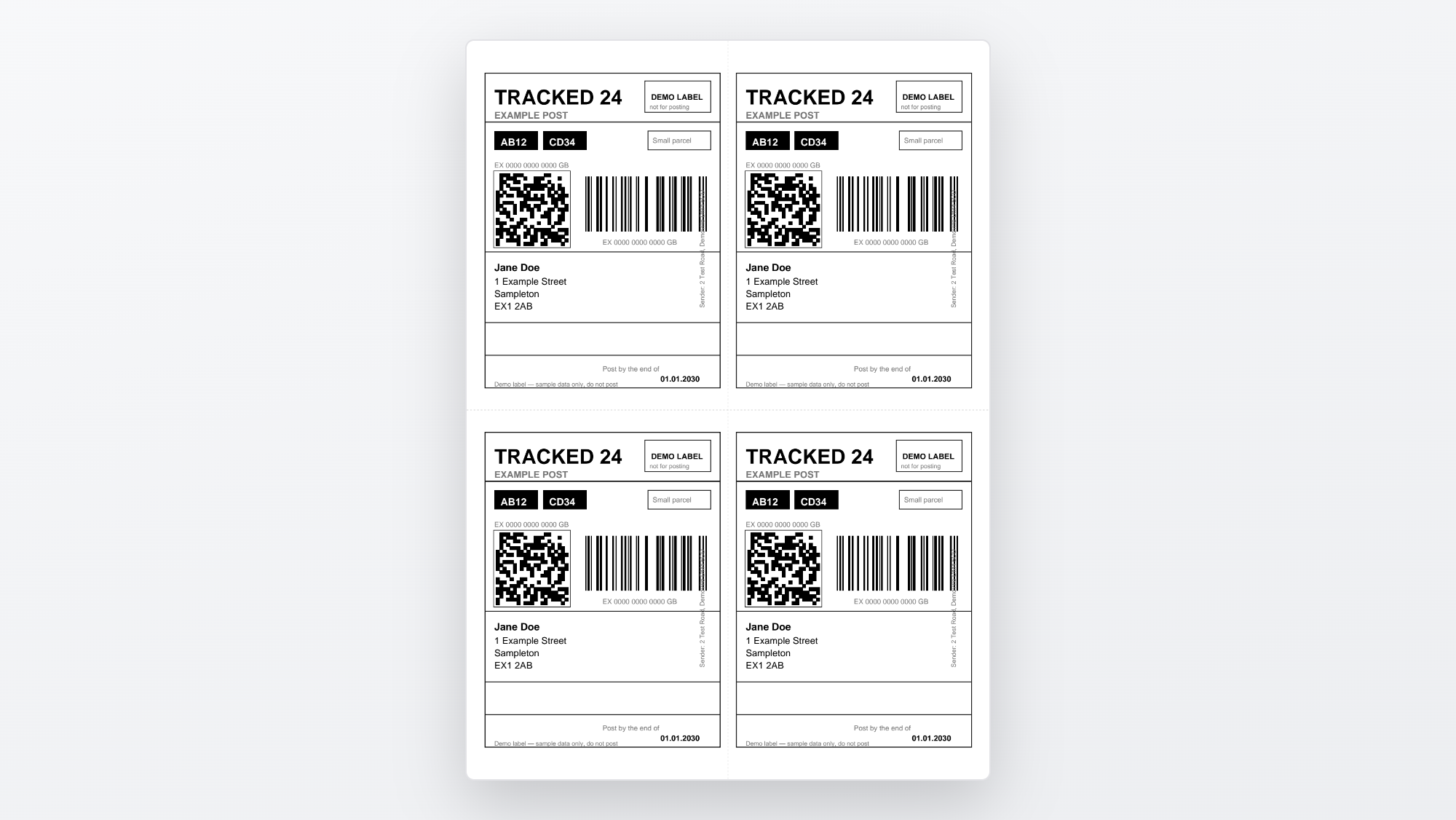
Four to a page
Fit four labels on one A4 sheet with optional cut lines. Print on the plain paper you already own and slice them apart.
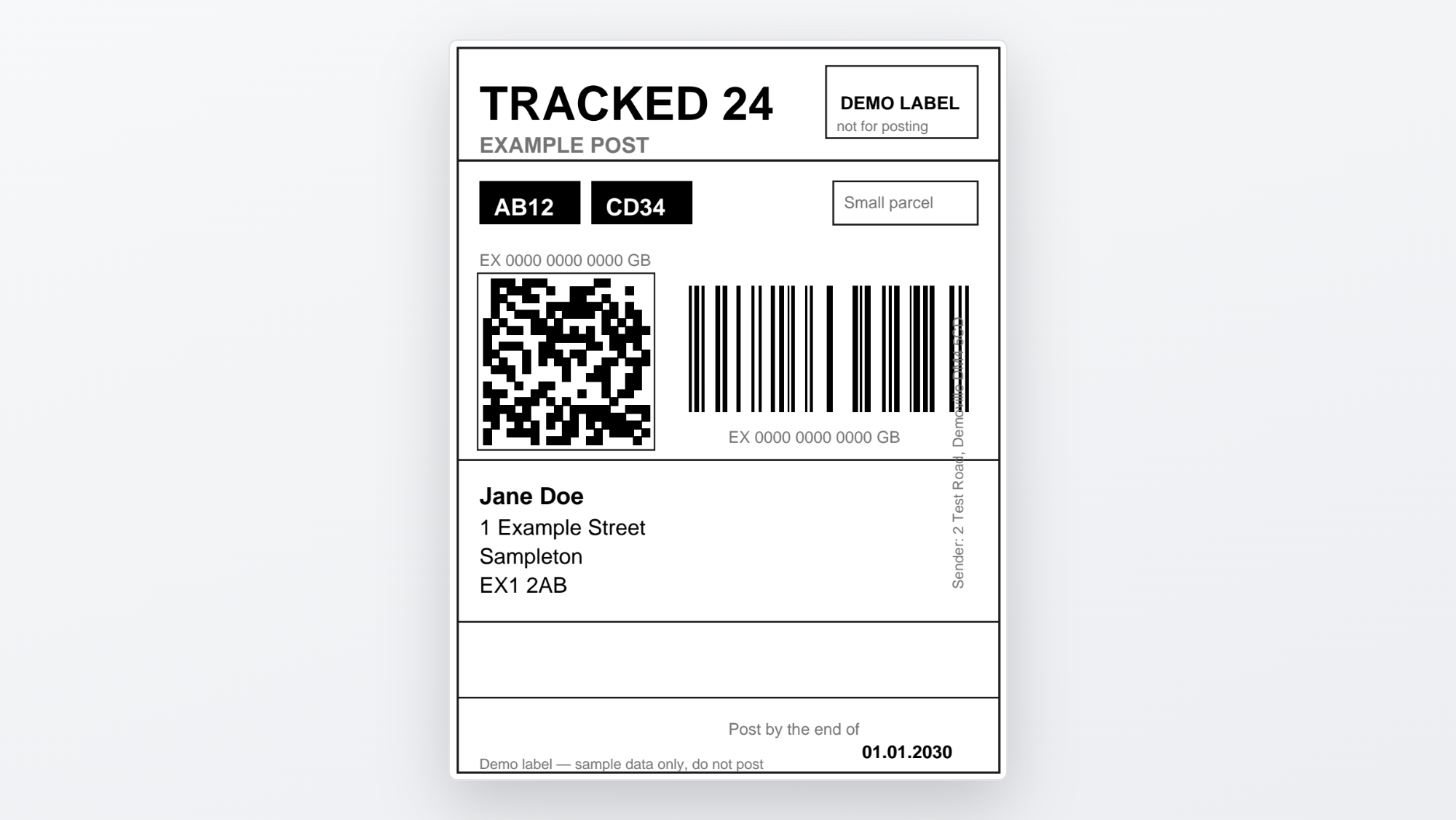
One per page
Output single labels sized for a thermal label printer, Zebra, Brother, DYMO and the rest. Peel and stick.
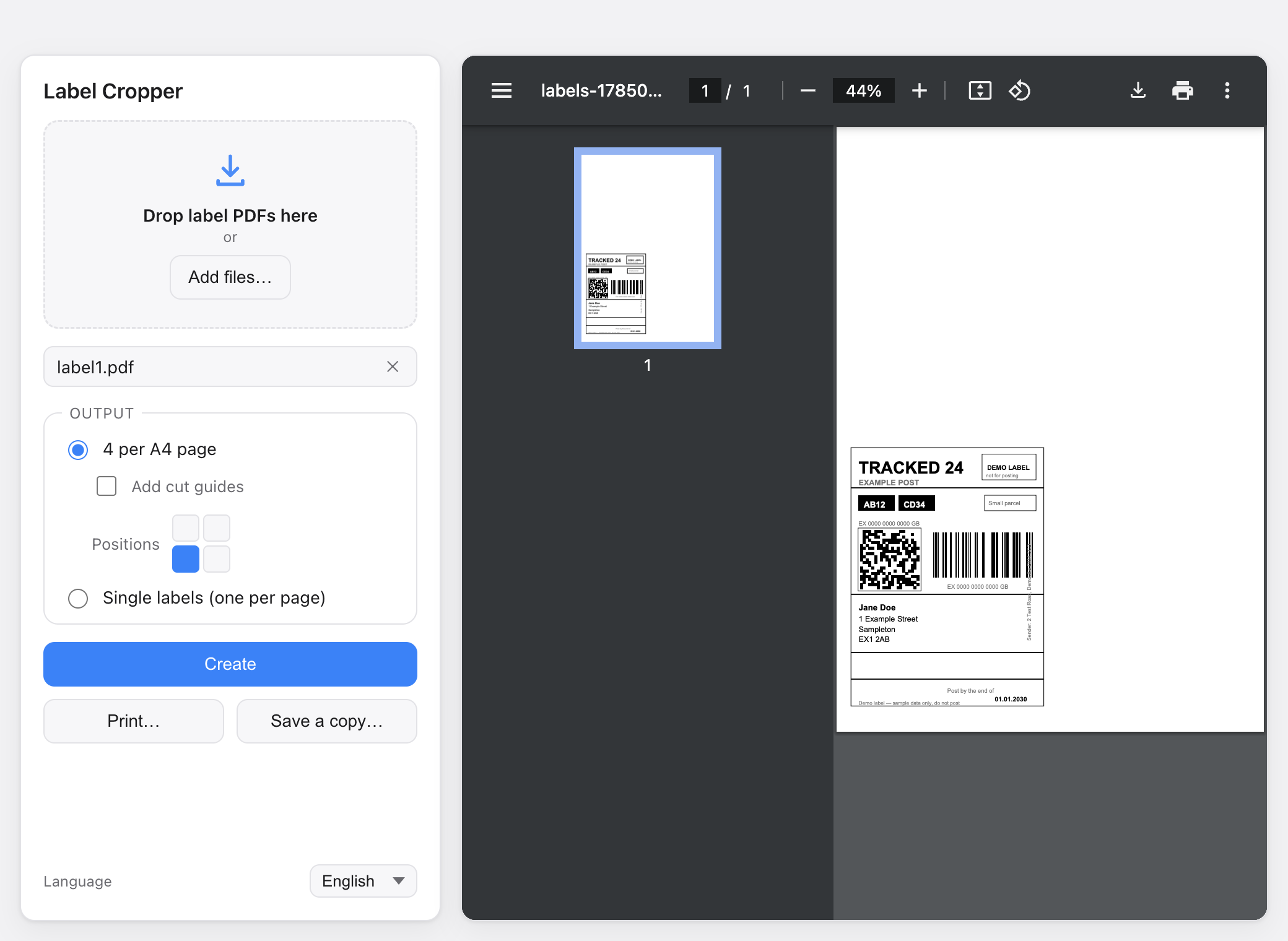
Position picker
Put the label exactly where you want it.
Got a sheet that's already been through the printer once? Drop a single label into the bottom-left corner, or anywhere else, and stop binning half-used paper.
- Nine quick presets plus free positioning
- Reuse part-printed sheets and cut waste
- A live preview shows the sheet before you print
Before & after
From cluttered A4 to a clean, ready-to-print sheet.
FAQ
Questions, answered.
Does it work with my carrier?
Does it upload my data anywhere?
Can I use a label printer?
Will the barcodes still scan?
How much does it cost?
Is there a Windows version?
Print your next label in under a minute.
Download for Mac and turn cluttered carrier PDFs into clean, ready-to-print sheets, right on your own computer.